Main product · Pilot in Kisumu, open
Take bitcoin at your till. Get M-Pesa.
kTown is a free QR till for Kisumu shops. Customers pay in sats. You get shillings in M-Pesa. kTown never holds money: payouts run on Tando, which charges 1%.
Second: the Ye₿ente wallet
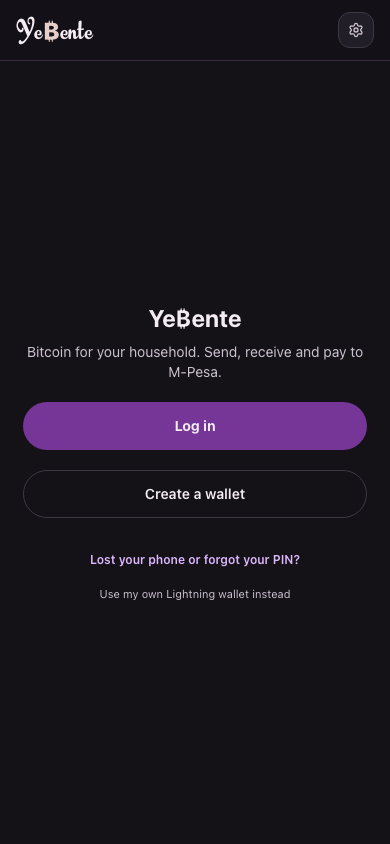
Ye₿ente is a starter Bitcoin wallet, in early access. Altradits holds your sats on its own node, so it opens in a minute and is easy to recover. Balances stay small, for everyday amounts.
Your first three steps
Minutes each. No experience needed. Follow along:
Use your wallet
Three things to know. Thirty seconds.
- Sats
You count in sats
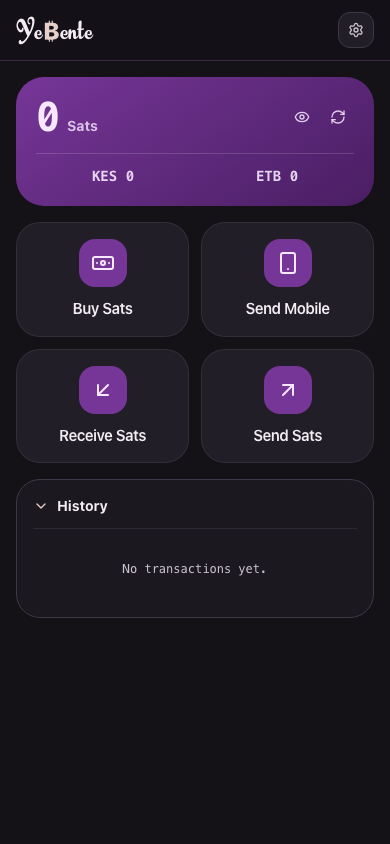
Bitcoin is too big to spend daily, and dollars need banks. So you count in sats: 100 million per bitcoin.
- In
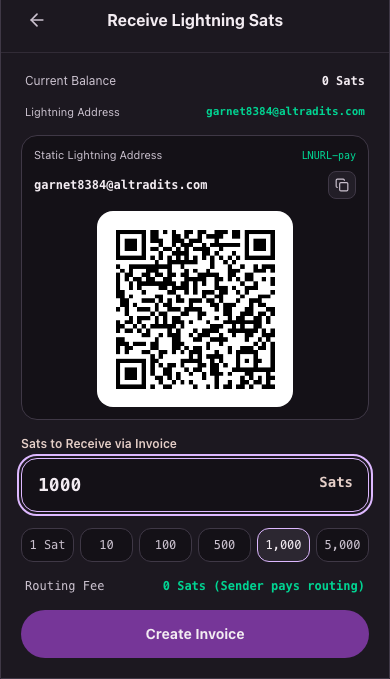
Get some in
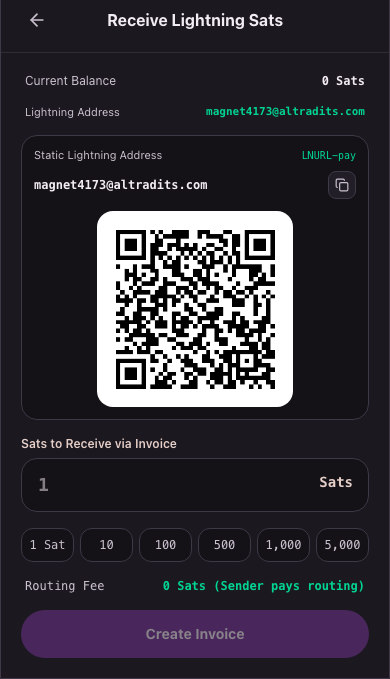
Share your address or QR. Sats arrive in seconds. Start with a tiny amount.
- Out
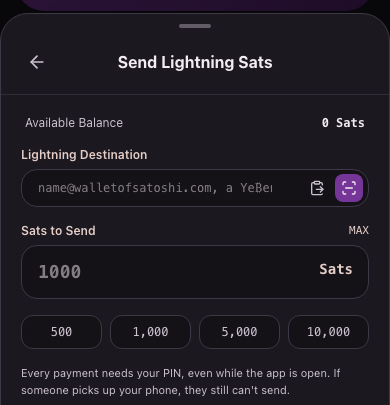
Send some out
Paste an address or scan a QR, enter sats, approve with your PIN.
Put money in
An empty wallet can't send. Get some from a person.
- From someone
Get some from a person
Anyone with bitcoin can pay your address or QR: a friend, a customer, work paying you.
Done. And next.
What's already in your wallet, and what's being built.
- In your wallet now
Open, receive, send, cash out
Open a wallet, get an address, receive, send, cash out to M-Pesa, log in anywhere. It all works today.
- Being built
Buy, more countries, then full ownership
Buying inside the wallet and more countries next, then help moving your sats to a wallet only you hold.
Keep learning
For your first weeks with the wallet.
- 1
Why this money
Why money matters, and why Bitcoin exists.
- 2
Wallets, kept safe
Start with Ye₿ente, then wallets only you control.
- 3
Safe habits
Good habits from day one.
Quick answers
Does it cost anything?
Opening a wallet is free, and payments between Ye₿ente wallets are free. Payments out over Lightning pay the network's small routing fee; M-Pesa payouts add the payout partner's 1% fee.
How much do I need to start?
Almost nothing. Start with a few cents to learn the ropes, and add more only when it feels easy.
Which PIN do I use?
Just one: the 6-digit PIN you choose. It opens the app and approves every payment. Fingerprint or face can stand in for it once you turn it on.
Do I have to log in every time?
No. Your phone stays signed in with its own security key. After a few minutes away the app locks, and your PIN or fingerprint opens it again.
Where is my @altradits.com address?
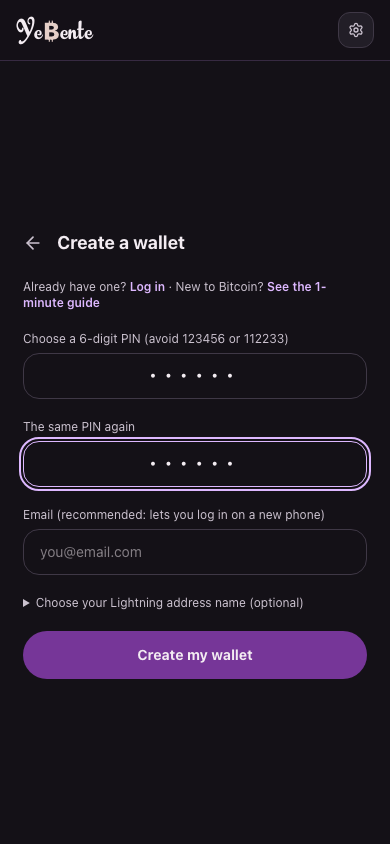
You choose the name when creating your wallet (optional). After that it lives under the gear (Settings) → Your Lightning address, ready to copy and share. Anyone can pay name@altradits.com from any Lightning wallet.
What if someone takes my phone?
They still can't send: every payment needs your PIN or fingerprint, and five wrong PINs lock payments. If your email is on the wallet, log in from another phone and remove the lost one.
What if I lose my phone?
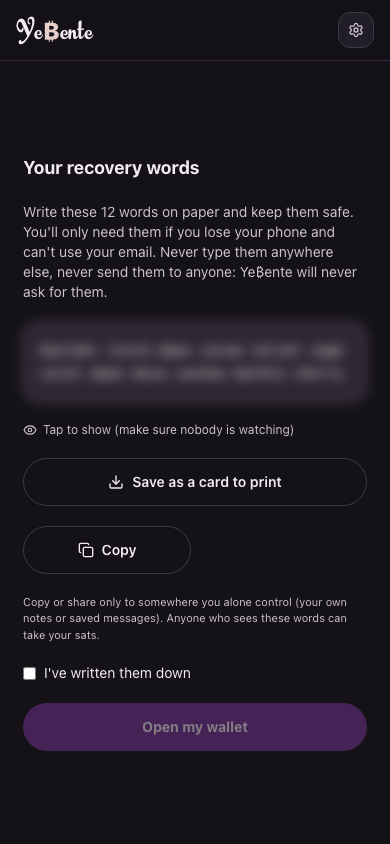
Log in on a new phone with your email (if you added one) and PIN. Forgot the PIN, or no email? Your 12 words or your email bring the wallet back with a new PIN; for 24 hours after that, at most 1,000 sats can leave, in case it isn't you.
How do I log in on a new phone?
Open Ye₿ente, tap Log in, enter your wallet's email. We email you a code (good for 10 minutes); enter it plus your PIN. Nothing gets reset.
What if I send to the wrong address?
The app shows the address and amount, then asks for your PIN before anything moves. Check those two, and start small: sent payments can't come back.
Who holds my money?
To start, we do. Ye₿ente is a starter wallet: Altradits holds small amounts for you on its own Lightning node, so your wallet opens in a minute and is easy to recover. That is why balances are capped for everyday amounts. When you're ready, we help you move to a wallet only you control, free.
Ready to keep all of it?
Cents to send, seconds to arrive. Your wallet opens in a minute.